Sources Page
See which websites AI models cite when they answer your prompts, and where your brand is missing.
When AI models answer your prompts, they often cite web pages to back up what they say. The Sources page shows every website they cite, so you can see which sites shape what AI says about your market and where your brand is missing.
What a Source Is
A source is a web page an AI model cited when answering one of your prompts. For example, if ChatGPT recommends three companies and links to a “best of” article, that article is a source.
AI models lean on their sources. If a trusted article mentions your competitors but not you, that gap shows up in AI answers too.
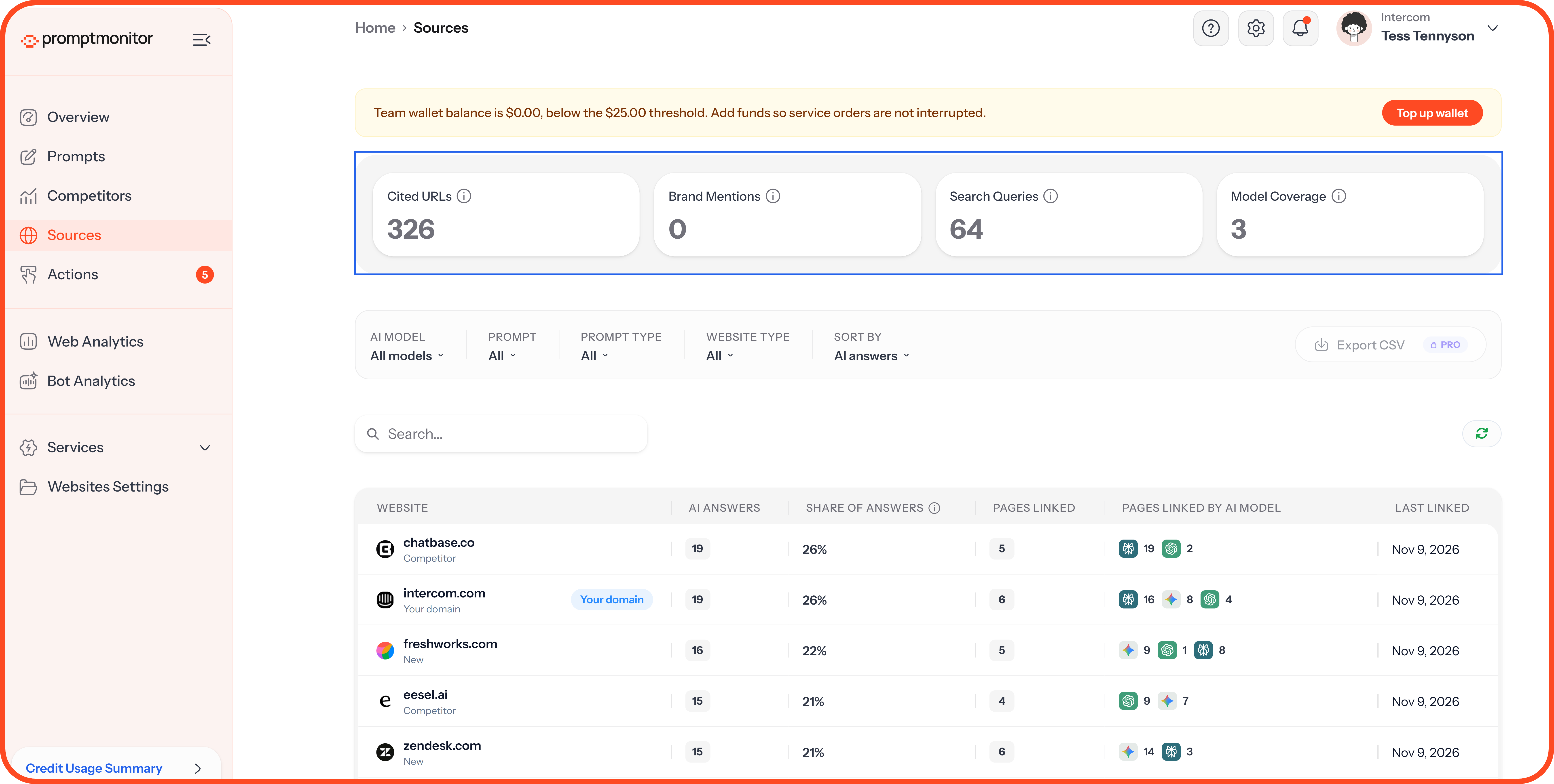
Summary Cards
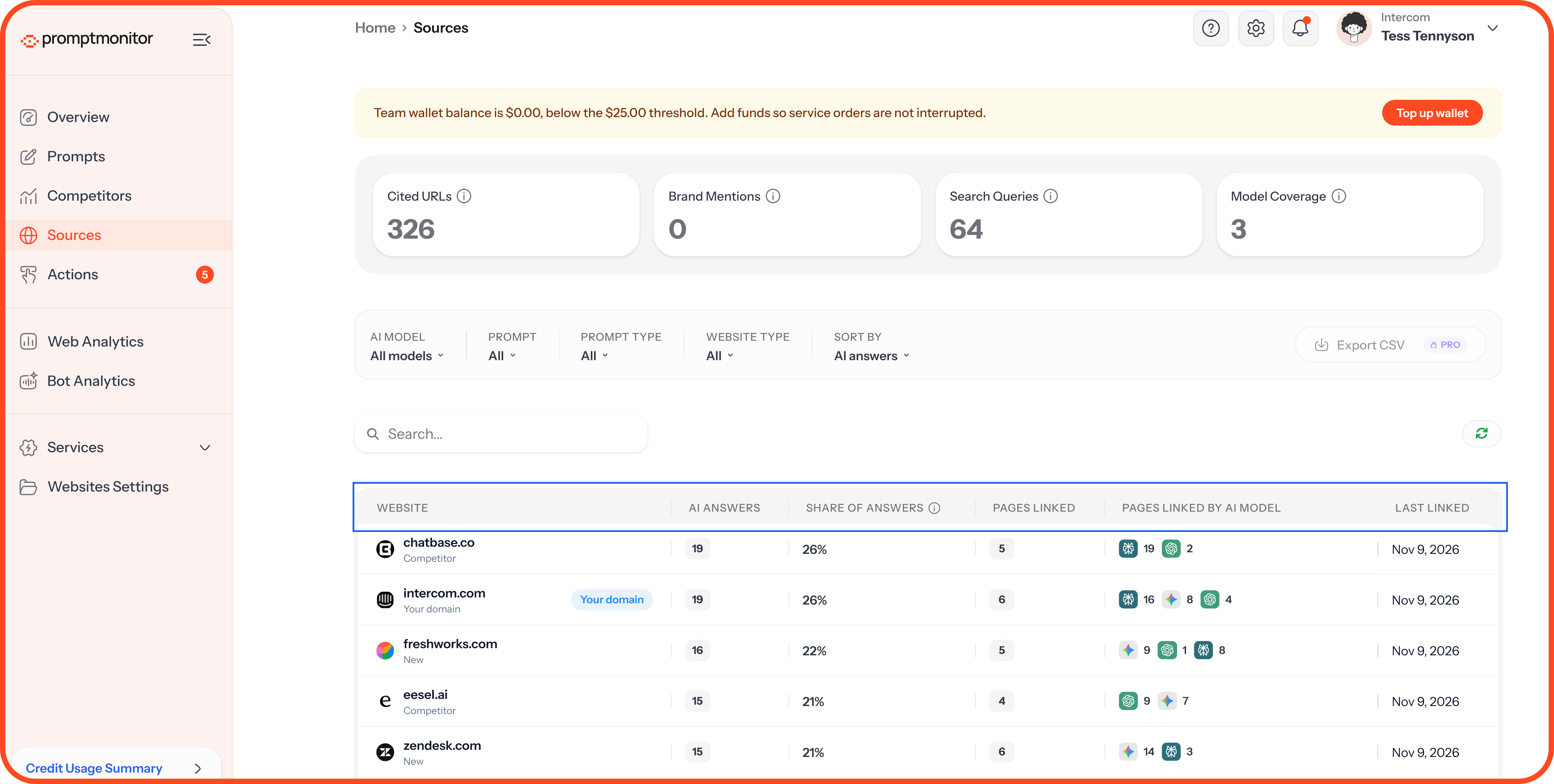
The Sources Table
Each row is one website.
Filter and Sort
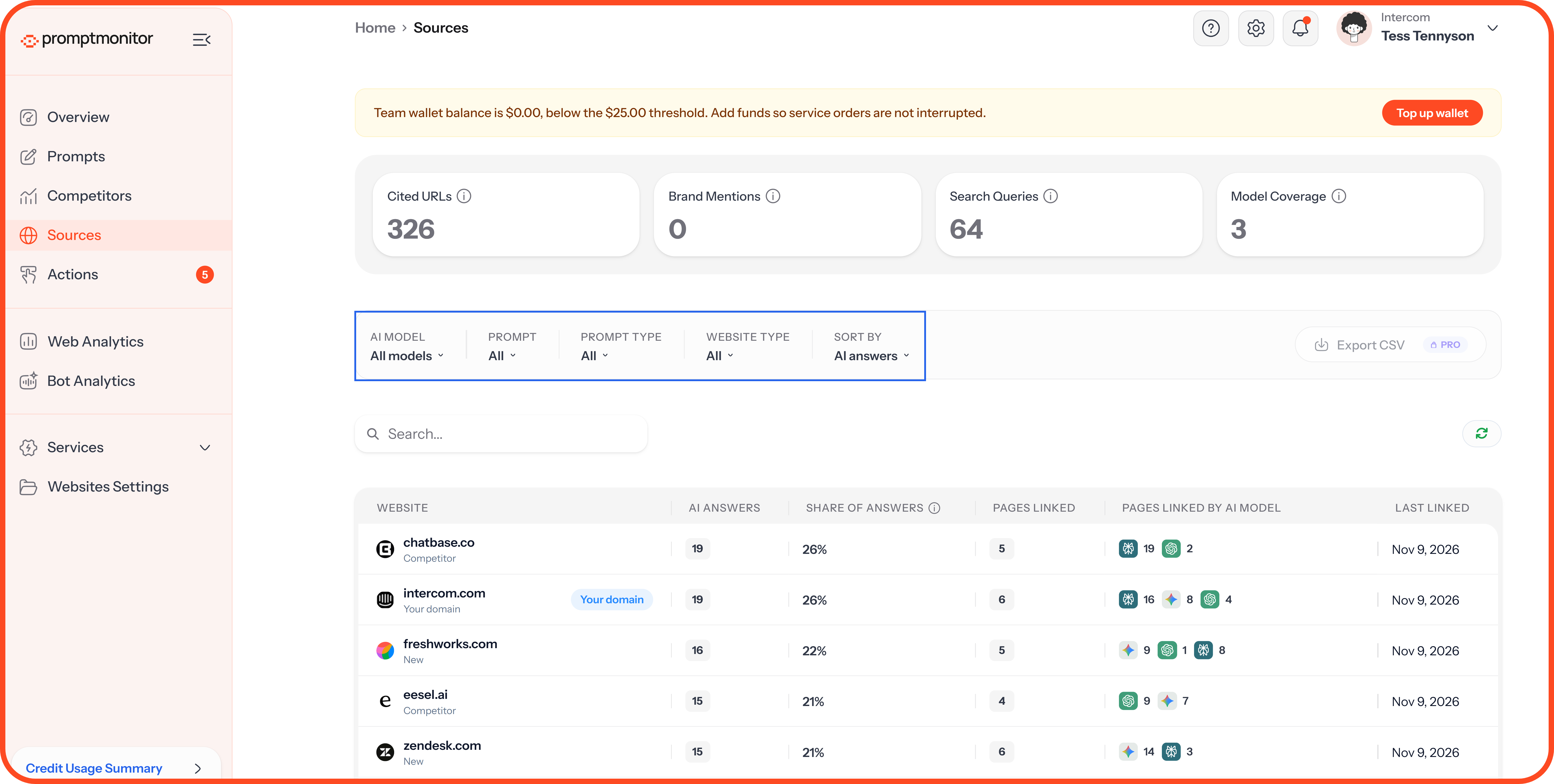
Use Search to find a website by domain name, and the refresh button to load the latest data.
Tip: Sort by Importance to see the most influential websites first, then look for ones that aren’t yours or a competitor’s. These are the sites to pitch, or to create better content for.
Top Domains and Domain Trends
Below the table, Top Domains lists the websites AI cites most. Click a domain to filter the page to that site. Domain Trends shows how often those domains are cited over time, so you can spot sites gaining or losing influence.
Source Details
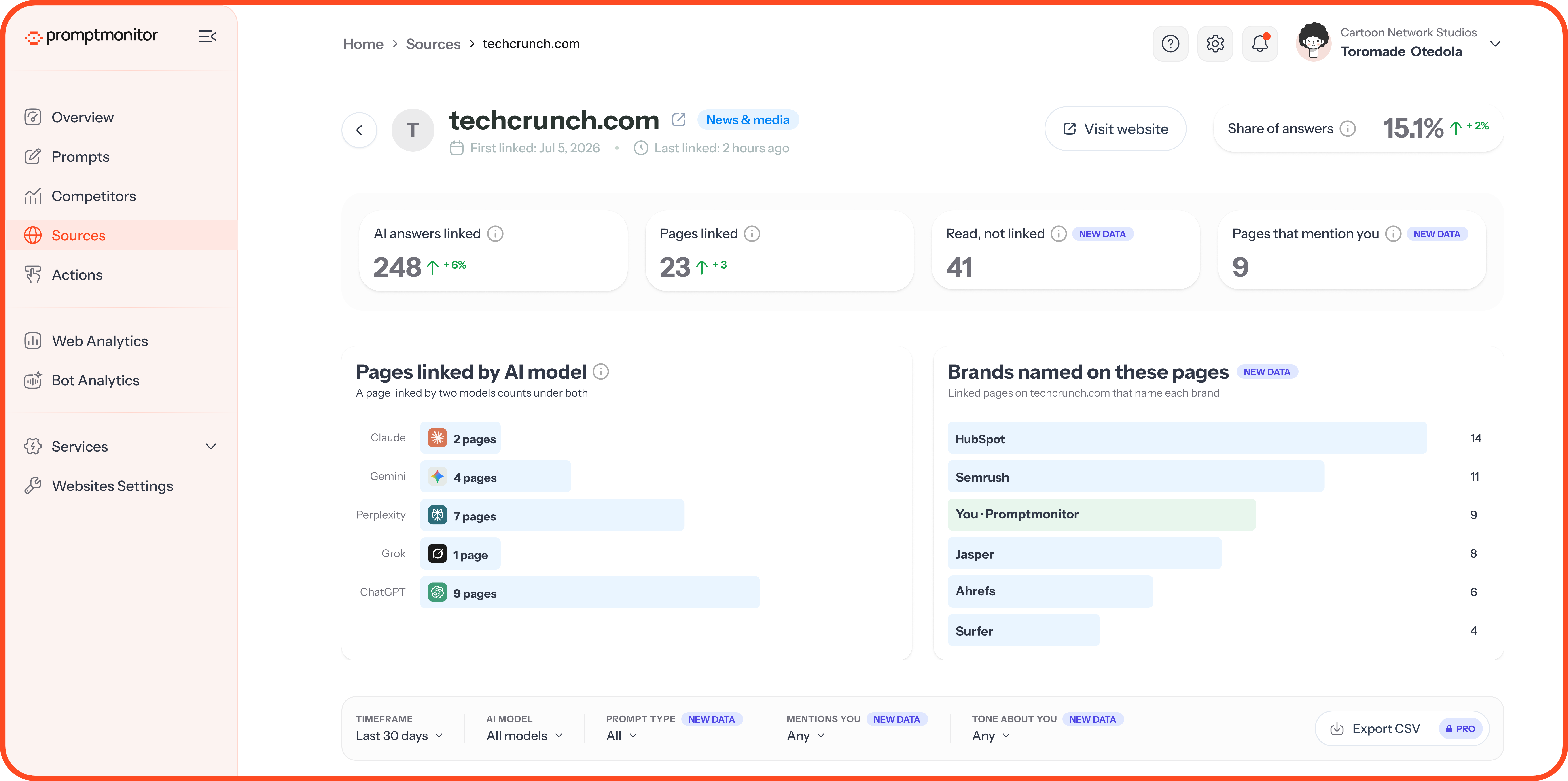
Click any website in the Sources table to see its details:
Overview: first seen, last seen, share of answers, AI answers linked, pages linked, pages read but not linked, and pages that mention your brand.
Pages Linked by AI Model: how many linked pages came from each AI model.
Brands Named on These Pages: the brands found across the linked pages.
Pages table: each page’s title, AI answers, share of answers, linking models, brands named, tone about your brand, and last linked date.
SEO Metrics: Domain Authority, Page Authority, Spam Score, backlinks to the page, backlinks to the root domain, and referring domains. Select Fetch Metrics to retrieve available metrics.
Technical Details: the website’s processing status and last scraped date.
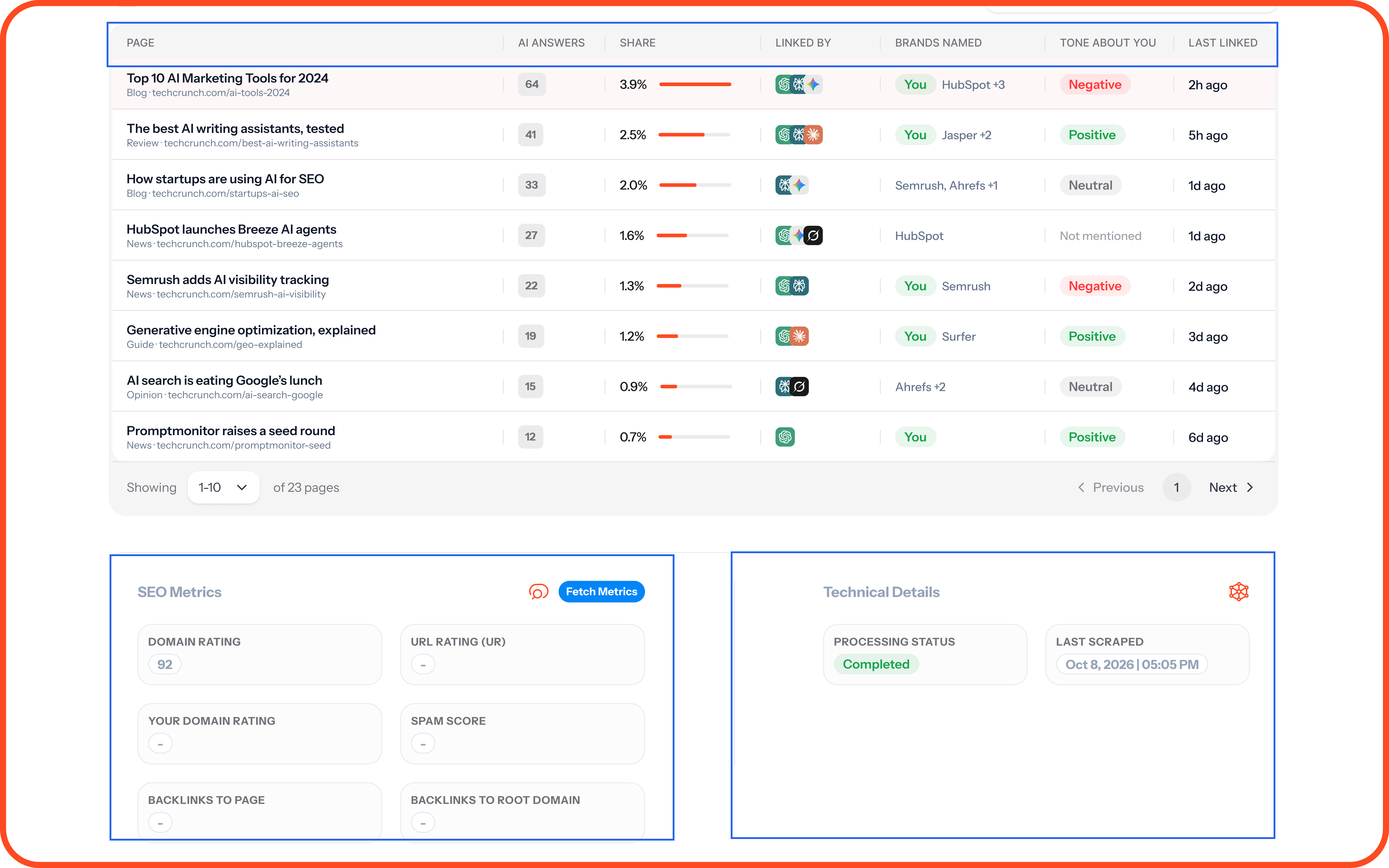
Use the Timeframe, Website Type, AI Model, Prompt, and Prompt Type filters to narrow the pages table.
Tip: A page that names your competitors but not you is a strong outreach target. Contact its author or publication and ask to be included.
Export
Click Export CSV to download your sources as CSV or XLSX. The export includes all your citations to date. For a specific date range, export from a prompt’s Sources tab instead. This is available on Growth and Pro.
FAQs
Why doesn't a page show as mentioning my brand when I know it does?
We look for your detection keywords on the page. If it uses a name that's not on your list, we won't spot it. Check your keywords in Websites Settings.
How often is a source's information updated?
Source information is updated as new AI responses are collected and processed. The Last Linked and Last Scraped fields on the website details page help you see when a website was last referenced and when its information was last processed.
💬 Questions about your sources? Click the ? icon at the top of your dashboard and choose Contact us.
Was this helpful?
Still need help? Ask the team