Web Analytics and Bot Analytics
See the people who visit your website and the AI crawlers that read your pages, using one small tracking script.
Your visibility scores show what AI says about you. Web Analytics and Bot Analytics show what happens on your own website: the people who visit and the AI crawlers that read your pages so AI can cite them. Both are available on Growth and Pro.
Set Up Tracking
Both pages run on one small script you add to your website.
Go to Websites Settings and open Analytics Setup.
Copy the tracking script. It already includes your website's ID.
Paste it into the
<head>of every page on your website, or into your site builder's custom code setting.Click Test installation to check it's working.
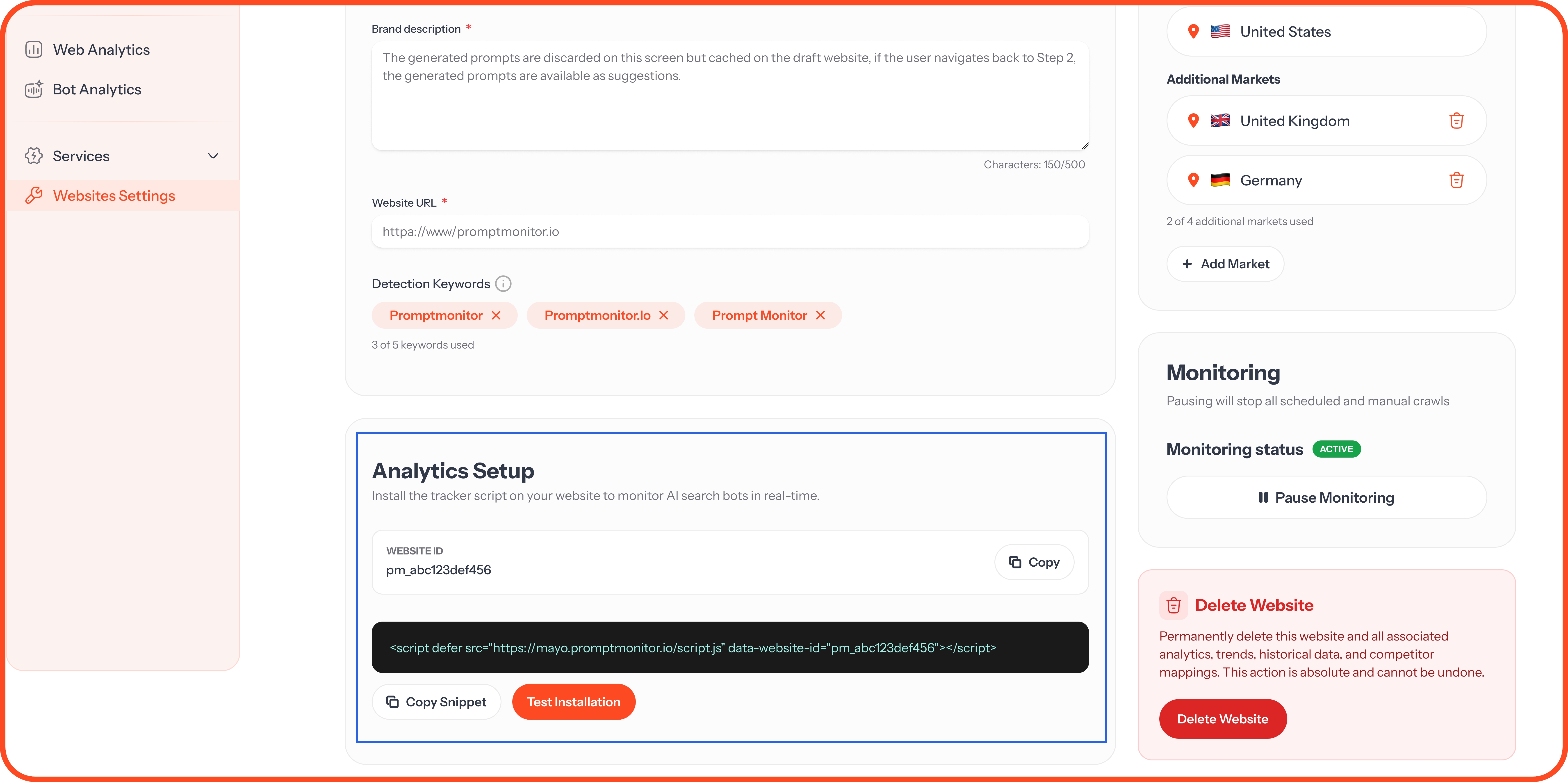
Data starts to appear shortly after your first visits.
No cookies. Our script doesn't use cookies, so in most cases you won't need to ask visitors for consent to use it. If you're unsure about the rules where you operate, check with your legal advisor.
Web Analytics
Web Analytics shows the people visiting your website.
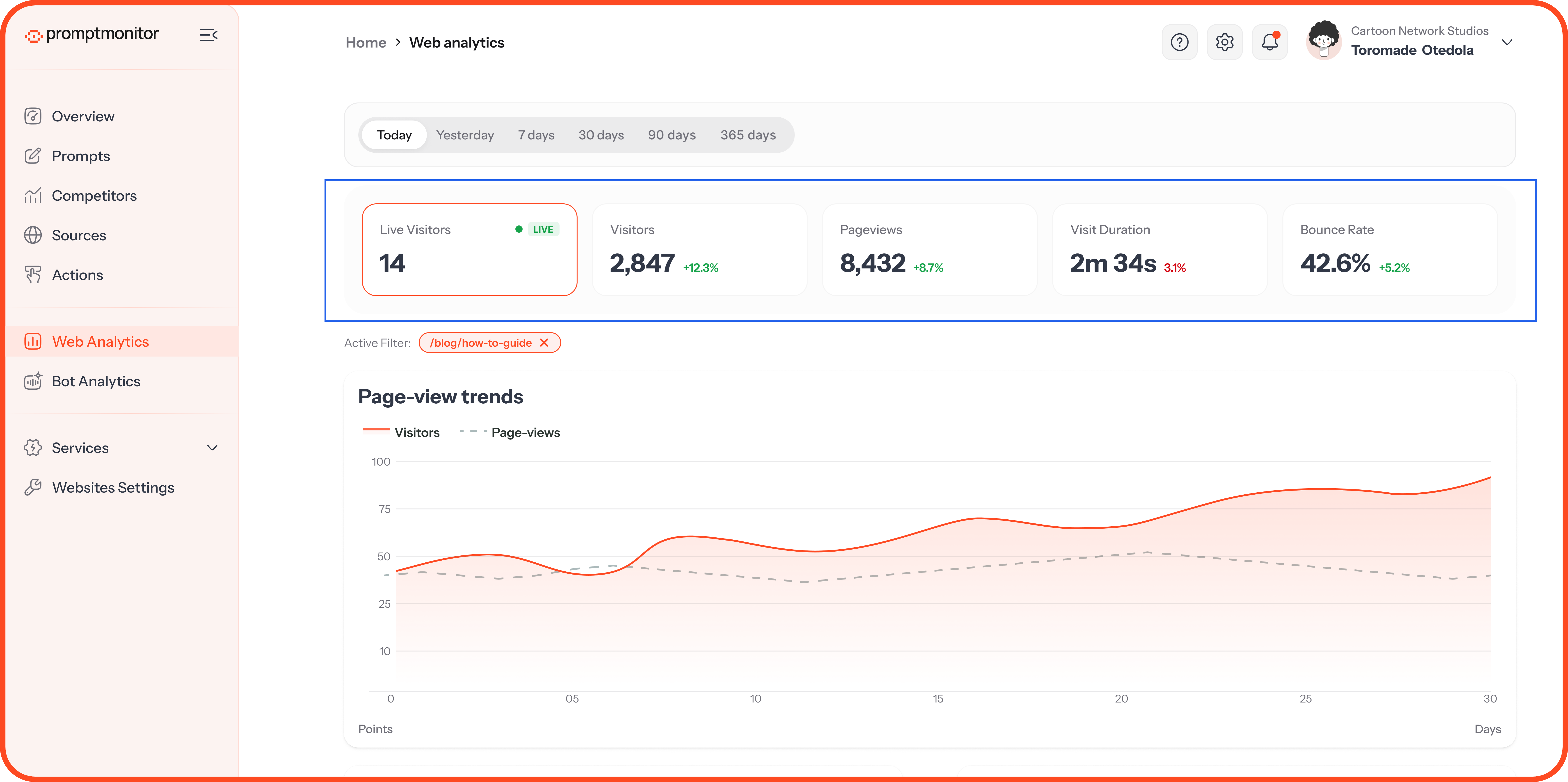
The Summary Cards
The percentage on each card compares this timeframe with the one before it.
What's Below
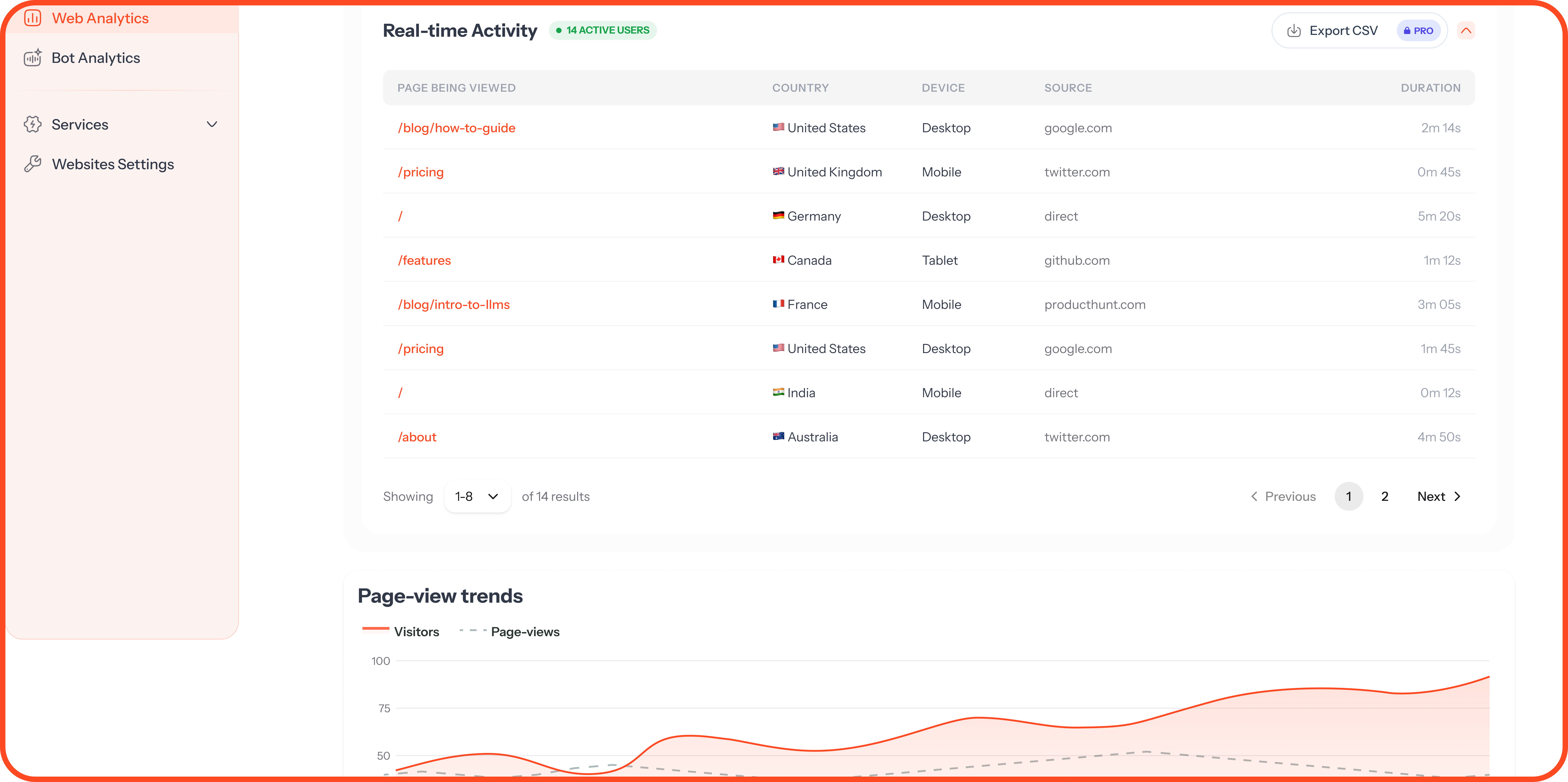
Real-time Activity: Each person on your site right now, with the page they're on, their country, device, source, and how long they've been there.
Page-view trends: Visitors and pageviews over time.
Top pages: Your most visited pages.
Referrers: The websites sending you visitors.
Countries: Where your visitors are.
Devices: Desktop, mobile, and tablet.
UTM Parameters: Visits from links you've tagged by source, medium, campaign, content, and term.
Watch for AI referrers. Visits from chatgpt.com, perplexity.ai and similar sites are people who clicked through from an AI answer. Check Referrers and UTM Parameters to see how many arrive this way.
Bot Analytics
Bot Analytics shows the AI crawlers visiting your website, such as GPTBot, ClaudeBot, and PerplexityBot. These bots read your pages so AI models can learn from them and cite them in answers. Regular visits mean AI models are seeing your latest content.
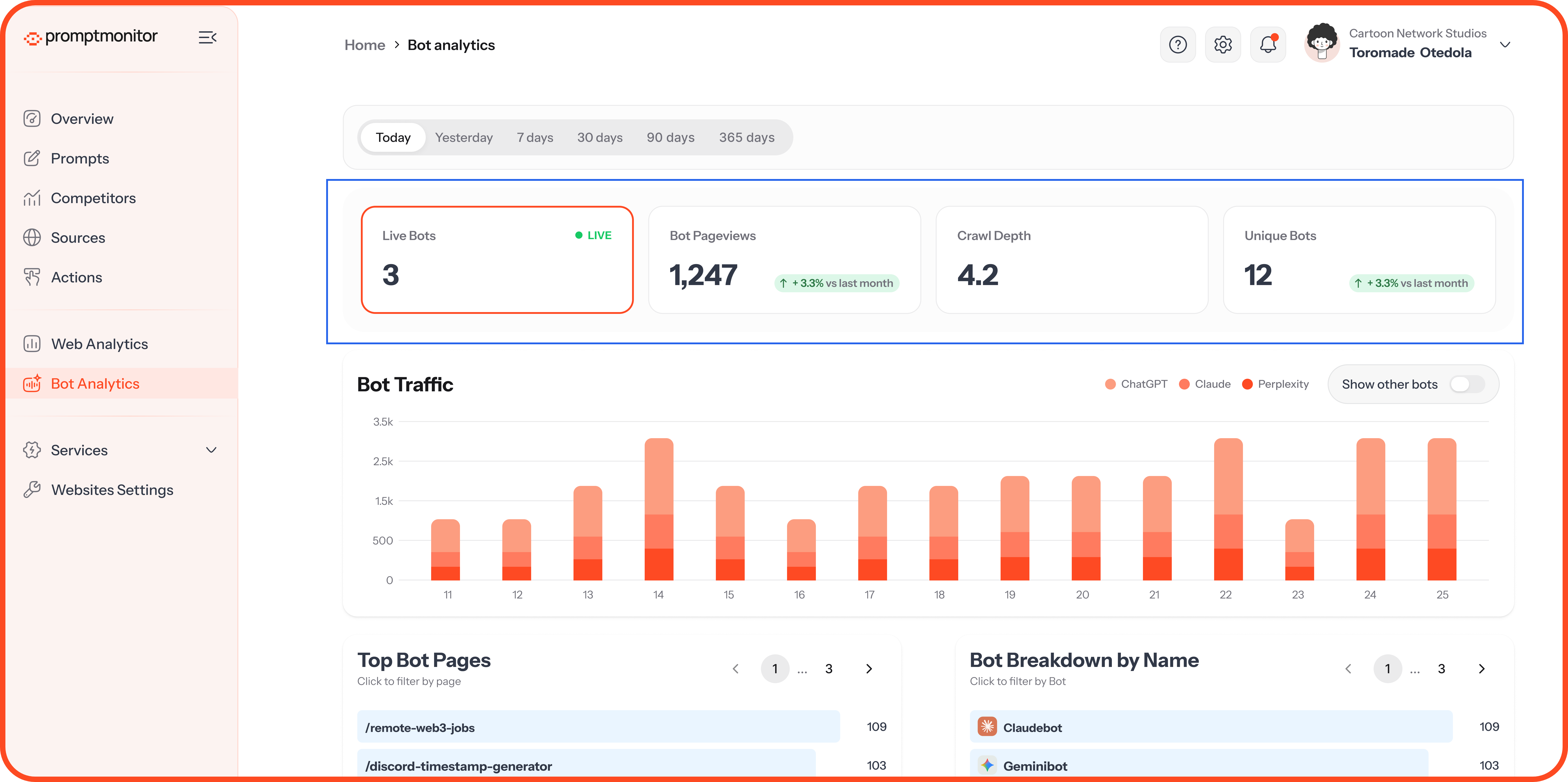
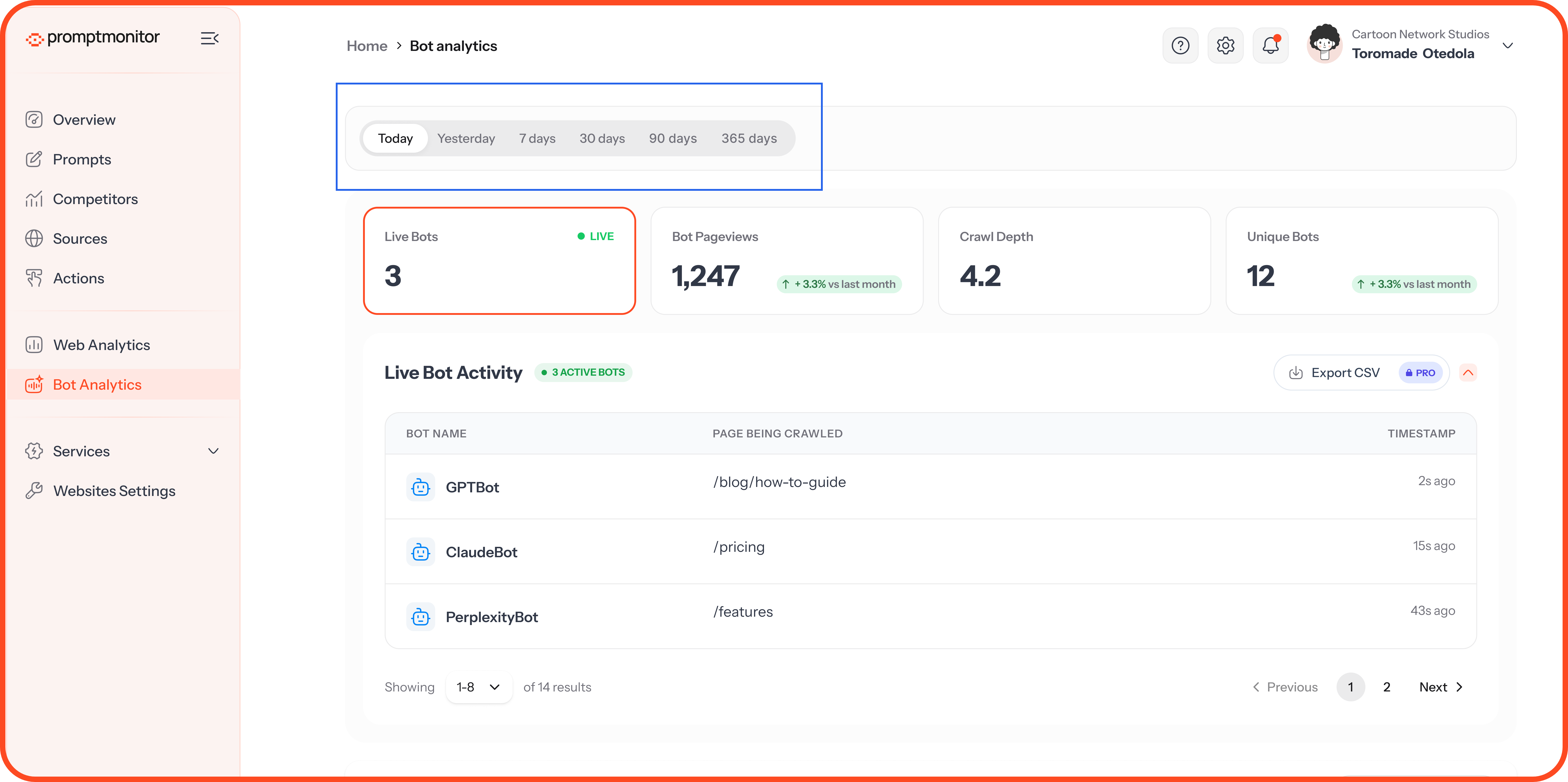
The Summary Cards
What's Below
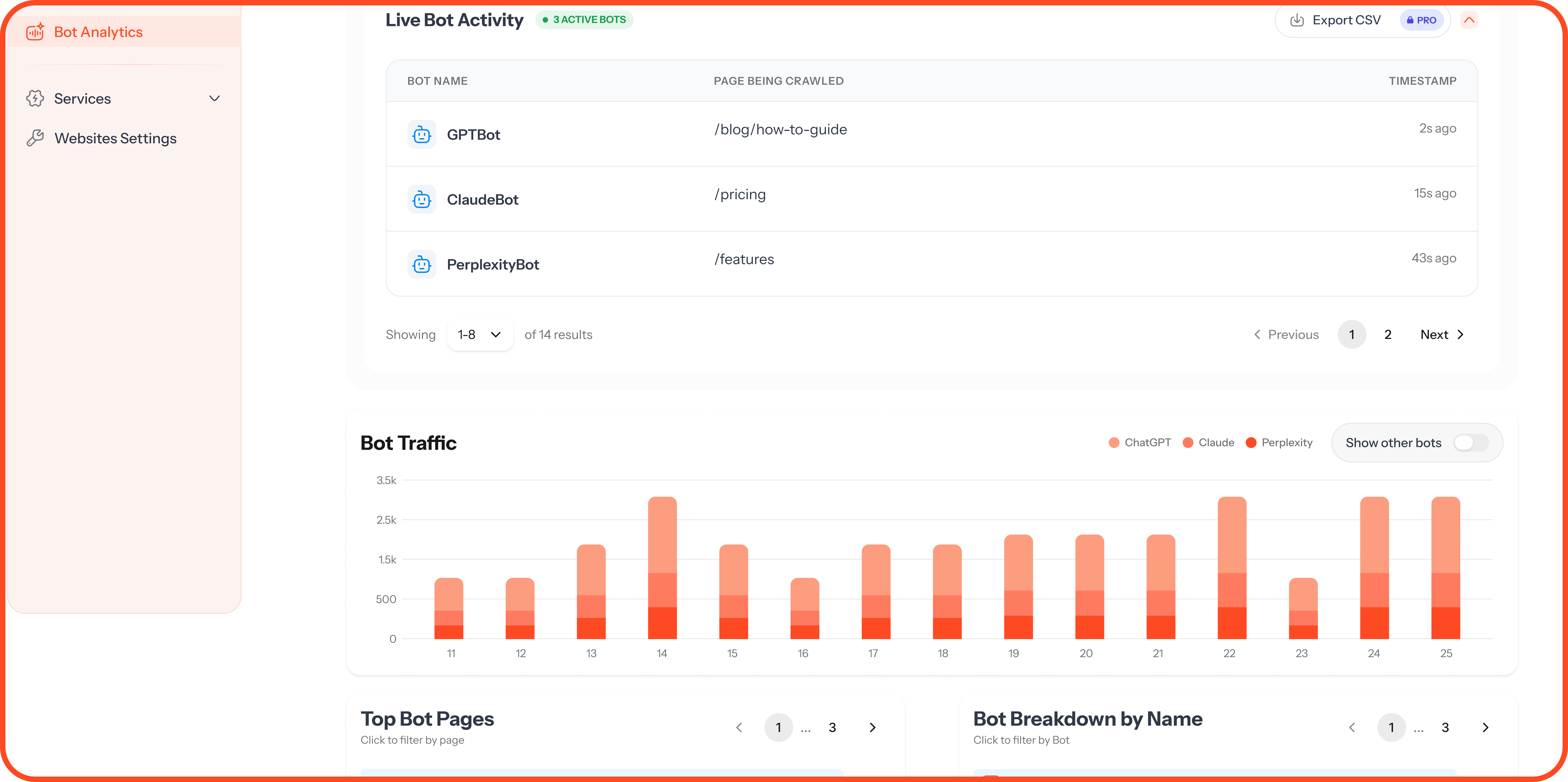
Live Bot Activity: Each bot on your site right now, the page it's reading, and when.
Bot Traffic: Bot visits over time.
Top Bot Pages: The pages bots read most.
Bot Breakdown by Name: Which bots visit, and how often.
What to Look For
Pages bots never visit: If an important page is missing from Top Bot Pages, AI may not know it exists. Link to it from pages bots already read.
A bot that's missing: If a bot never appears, check that your robots.txt isn't blocking it.
A sudden drop: A change to your website or robots.txt may have blocked bots. Check it as soon as you notice.
Filter Your Data
Timeframe: Today, Yesterday, 7 days, 30 days, 90 days, or 365 days.
Click to filter: Click any page, referrer, country, device, or bot to filter the page to it.
FAQs
I added the script, but I don't see any data.
Click Test installation in Websites Settings. If the test fails, check that the script is inside the <head> on every page and that your site has been republished. Some caching plugins need clearing too.
Will the script slow down my website?
No. It's small and loads after your page, so visitors won't notice it.
Why are my numbers different from Google Analytics?
Each tool counts visits differently, and many visitors block Google Analytics or decline its cookies. Our script doesn't use cookies, so it counts visits that cookie-based tools miss.
I'm on Starter. Can I see these pages?
Web Analytics and Bot Analytics are part of Growth and Pro. A team admin can upgrade from Team Settings, and then Billing.
💬 Need help with setup? Click the ? icon at the top of your dashboard and choose Contact us.
Was this helpful?
Still need help? Ask the team